
---
title: IDE Support
description: "Learn more about the IDE integration features Melos provides for IntelliJ and VS Code."
---

# IDE Support

## IntelliJ

TODO

## VS Code

The [Melos extension][melos-code] integrates Melos with VS Code.

### `melos.yaml`

The extension provides validation and autocompletion of `melos.yaml` and allows
you to run scripts through CodeLenses:
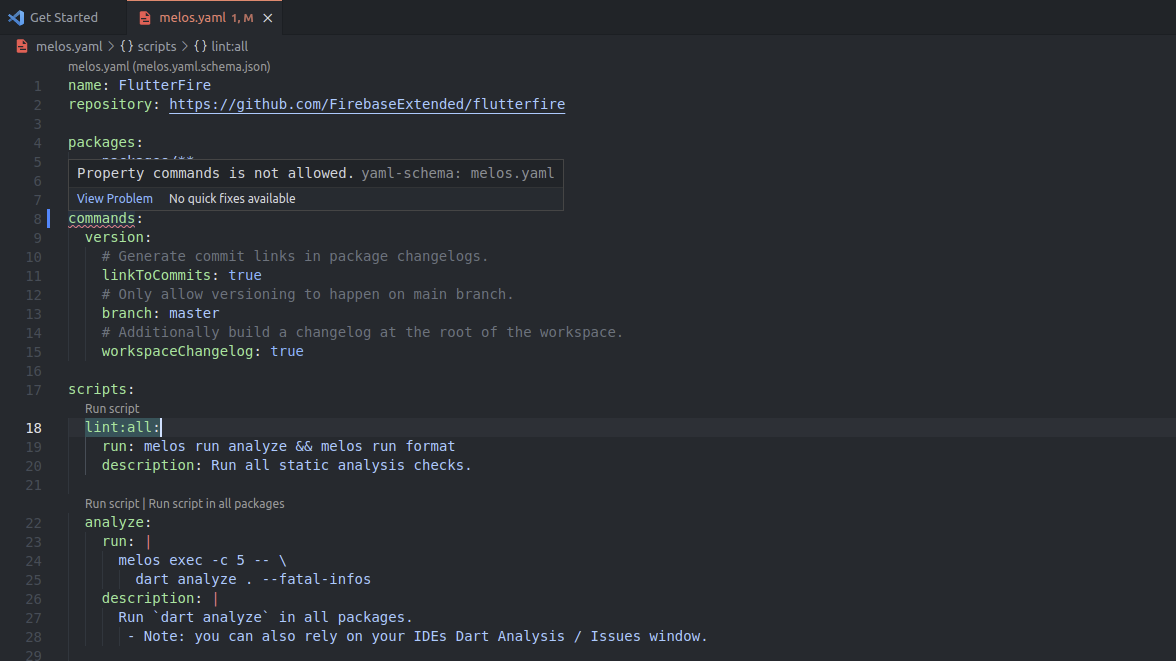
![melos.yaml in VS Code](/assets/vs-code-melos-yaml.png)

### Melos scripts as tasks

Melos scripts are provided as VS Code tasks:
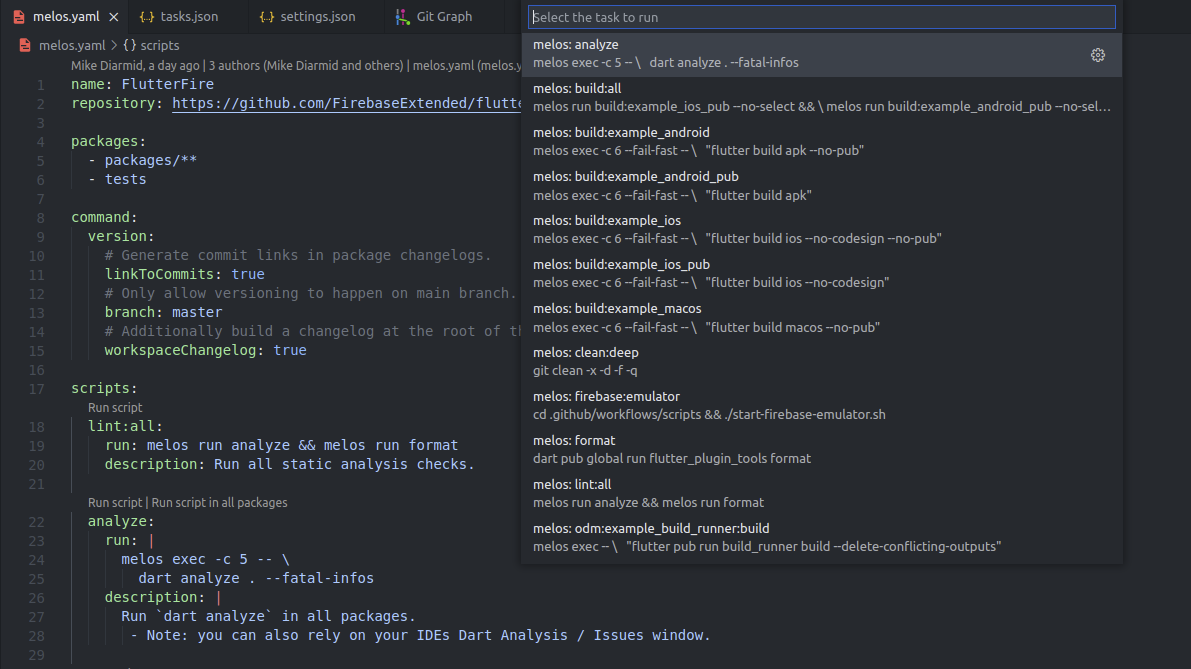
![Tasks provided to VS Code](/assets/vs-code-melos-tasks.png)

To configure a task that run a Melos script, use task type `melos`:

```json
// .vscode/tasks.json
{
  "version": "2.0.0",
  "tasks": [
    {
      "type": "melos",
      "script": "test",
      "label": "melos: test"
    }
  ]
}
```

### Commands

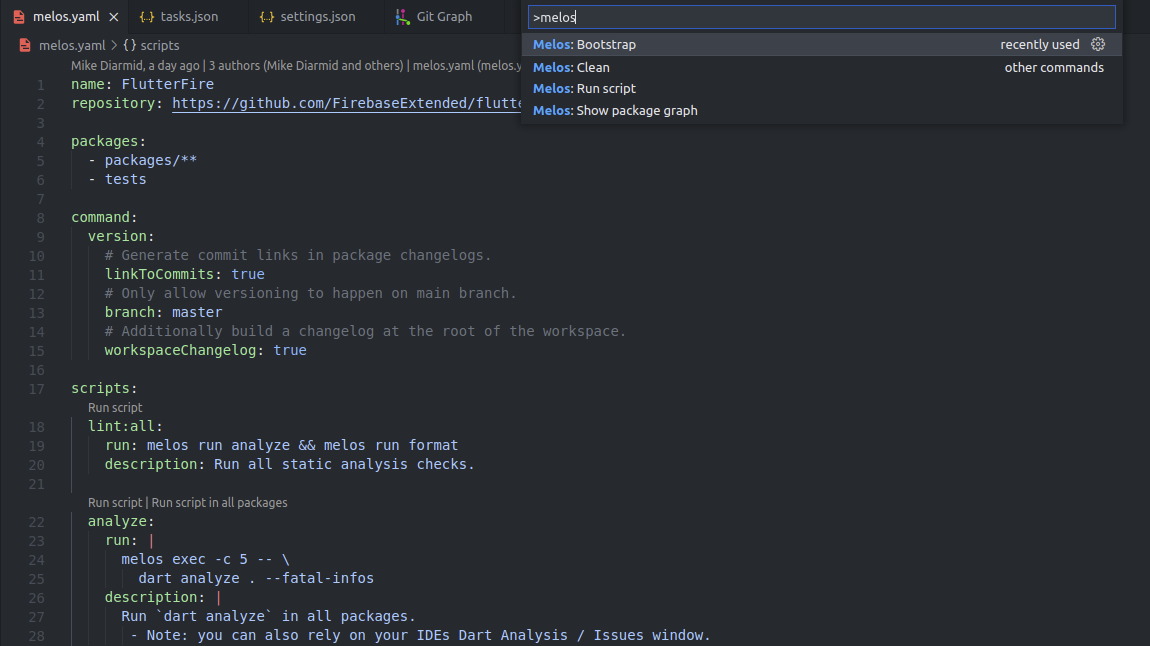
The following commands are available in the command palette:

- `Melos: Bootstrap` to run `melos bootstrap`
- `Melos: Clean` to run `melos clean`
- `Melos: Run script` to select and run a Melos script
- `Melos: Show package graph` to show the package graph of the Melos workspace

![Melos commands in VS Code command palette](/assets/vs-code-melos-commands.png)

### Package graph

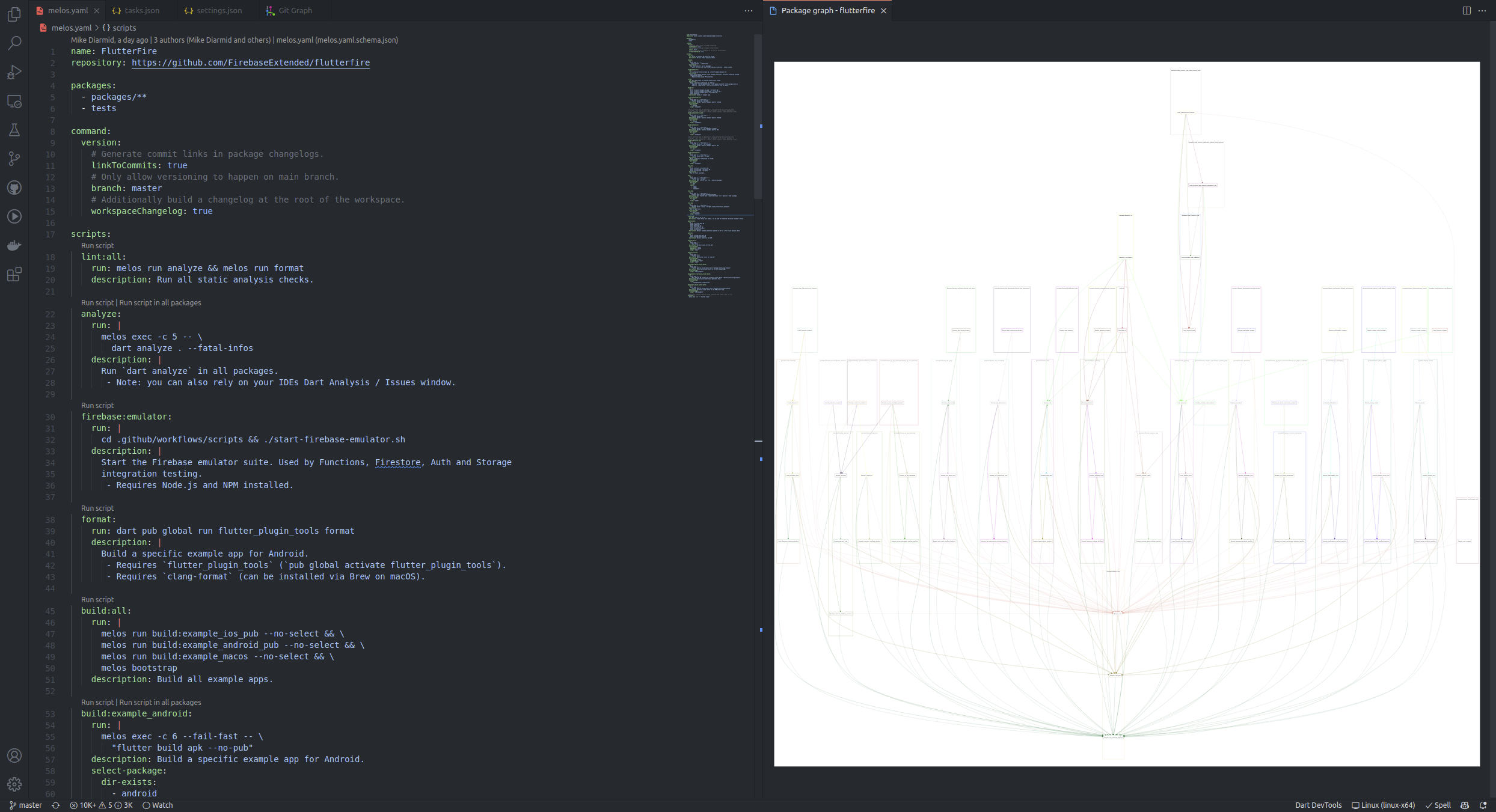
The dependency graph of packages in the Melos workspace can be viewed by running
the `Melos: Show package graph` command.

![Show package graph in VS Code](/assets/vs-code-package-graph.png)

[melos-code]: https://marketplace.visualstudio.com/items?itemName=blaugold.melos-code